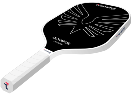


Transmit Security is serving up unbeatable protection – and custom pickleball paddles at RSA 2025. Book a meeting to grab yours and take your security game to the next level!
Glossary
CTAP (Client to Authenticator Protocol) is the FIDO2 specification that defines how an external authenticator (such as a phone, tablet, or hardware security key) communicates with a client device like a laptop or browser during authentication. It’s the companion to WebAuthn, handling the link WebAuthn doesn’t.
Where WebAuthn connects the browser to the website, CTAP connects the browser to the thing that actually holds your private key when that thing is a separate device. Together they complete the chain from website to authenticator.
CTAP is what lets you use your phone to sign in on your laptop, or tap a hardware security key to authenticate in a browser. It defines the transport and messaging (over USB, NFC, or Bluetooth) between the client and the authenticator, so the private key can stay on a dedicated device while still being usable across your other devices.
CTAP is mostly invisible to end users, but it’s essential to the flexibility of FIDO2. It’s why passkeys can be cross-device: your phone (the authenticator) proves possession to your laptop (the client) via CTAP, and WebAuthn carries that proof to the website. For most businesses, CTAP is a detail handled by the platform and SDKs rather than something to implement directly. But understanding it clarifies how cross-device passkey flows actually work.
The most common place CTAP shows up in real life is the "use your phone to sign in" flow on a computer. Behind that prompt, the laptop (the client) and the phone (the authenticator) establish a proximity-checked link (typically over Bluetooth in current hybrid flows) and CTAP carries the challenge and signed response between them. The proximity requirement matters for security: it makes remote phishing of a cross-device sign-in far harder, because the authenticator has to be physically near the client. For businesses, the takeaway is that CTAP is what makes passkeys portable without sacrificing the phishing resistance that makes them worth adopting, and it’s handled by the platform, not something you build.
What does CTAP stand for?
Client to Authenticator Protocol.
What’s the difference between CTAP and WebAuthn?
WebAuthn connects the browser to the website; CTAP connects the browser to an external authenticator like a phone or security key.
What transports does CTAP use?
USB, NFC, and Bluetooth.
Related: FIDO2 · WebAuthn · Passkeys · Passwordless Authentication